
Back to Help Center
Hosting Guide
Understand the Host Portal
More about Hosts
More about Organizations
More about Stays
Understand the Host Portal
Everything in the Host Portal hangs on four terms: User, Host, Organization, and Stay.
What the Host Portal is
The Host Portal is the signed-in area of your Stays account where you use the platform's hosting tools: applying to get a property listed, editing its Listing Page, reviewing Leads, creating Offers, and coordinating Promotions and Giveaways. You reach it from the For Hosts button in the top navigation (it reads Host Portal once you belong to an Organization, and Become a Host before that).
The four terms you need
What is a User?
Every unique account holder on Stays is a User. When you create an account you tell us what you are here for: List my property, Find places to stay, or Both. That choice decides where you land after signing in and which portal Stays points you toward. You can change it anytime in your Account settings.
What is a Host?
A Host is any User who has access to an Organization. Whether the account is used by one person or shared across a team, each Stays account becomes a Host once it has created, or been invited to join, an Organization. Hosts have different permission levels (roles) within each Organization they can access.
What is an Organization?
An Organization is your business or brand inside Stays. It owns your listings, your team, your billing, and your Org Page (the public page on stays.co that introduces your business and shows every property you list, reached from the "Hosted by" link on your listings). Every property, even a single one, must live inside an Organization. Hosts can create new Organizations or be invited into existing ones. Organizations come in size tiers (Personal, Professional, Commercial, Enterprise) that only change how many properties and team members the Organization can hold.
What is a Stay?
A Stay is a vacation rental property listed on stays.co. To list one, a Host submits a Stay Application from inside an Organization. Once the application is accepted, the Stay gets its own Stay Dashboard and a public Listing Page, and every Host in that Organization can manage it (subject to their role).
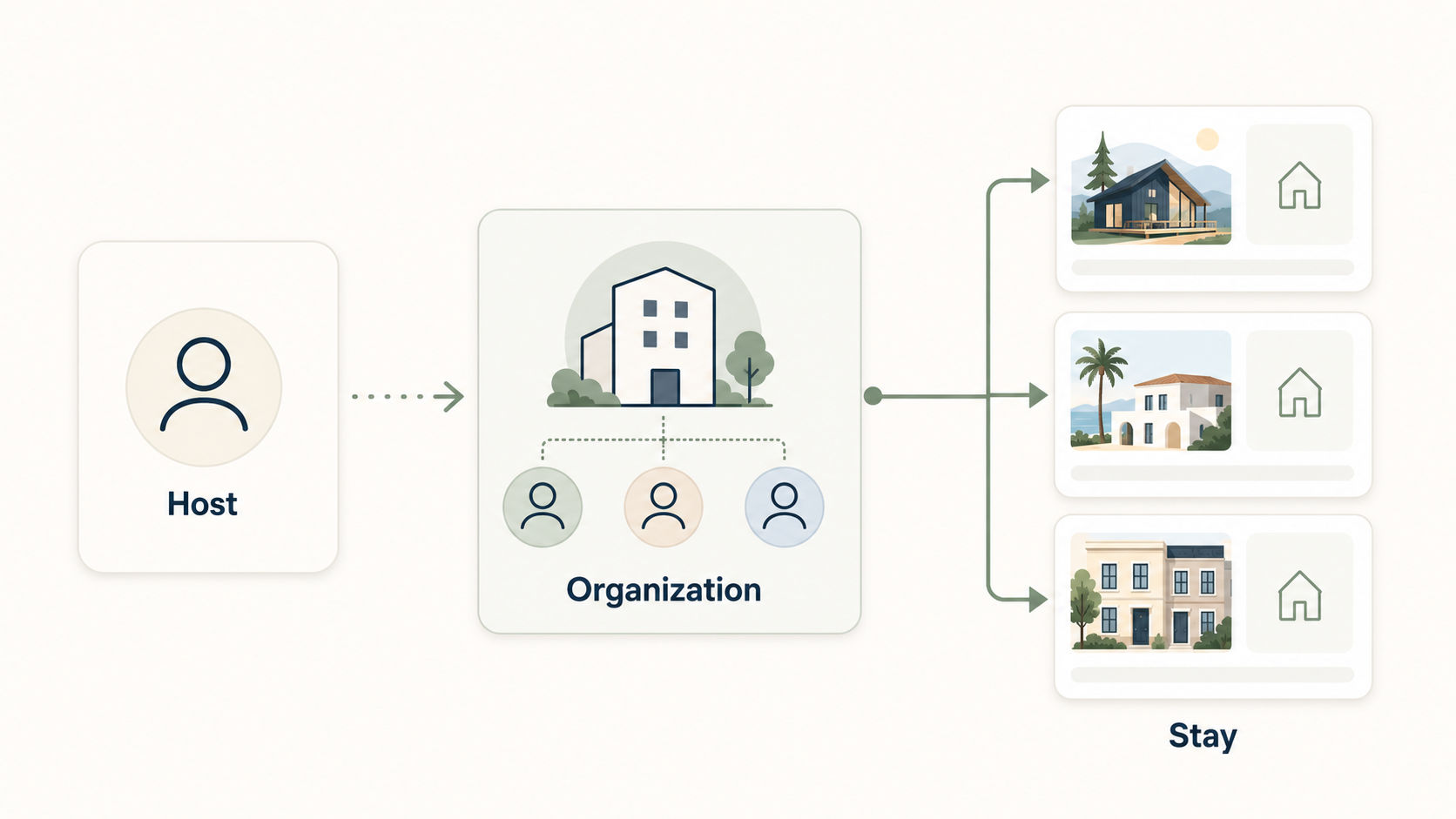
Visual reference of Hosts, Organizations, and Stays
Your Organization is your business. The property comes after, in Properties.
Where things live in the Host Portal
The side menu has two levels. The top group is your Organization and applies to your whole business. Everything below it belongs to whichever Stay you have selected.
Organization level
- Properties: every property in the Organization. Start new Stay Applications and Bulk Add here, and click any property to open its Stay Dashboard.
- Cart: Promotions and Giveaways built but not yet purchased.
- Org Settings: three tabs. Org Details (Organization name, type, your Org Page, and deletion), Team (invite team members and set their roles), and Billing (payment methods, transactions, and your Host Premium membership).
- Premium: what Host Premium includes and where to subscribe or manage it.
Stay level (the Stay Dashboard)
- Overview: how this property is doing.
- Edit Listing: the content of its public Listing Page, in four tabs (Location, Details, Media, Links).
- Inbox, Analytics, Stay Settings: notifications, performance, and publish state for this property.
- Marketing (Leads, Offers, Promotions, Giveaways): who is interested in this property and the tools for promoting it.
Below the menu, a Listing strength meter and a View Public Page button open the Listing Page as travelers see it.
Each of these areas has its own guide in the Help Center. Start with the rest of this Hosting Guide if you are new.