
Back to Help Center
Promotions Guide
What are Promotions?
Step 1) Create a Promotion
Step 2) Select Type & Variation
Step 3) Select Posting Outlet
Step 4) Select Amplification
Step 5) Select Media
Step 6) Select Boosting
Step 7) Craft Details
Step 8) Review & Submit
Step 9) Awaiting Publishing
What are Promotions?
Stays lets Hosts craft and coordinate Instagram Promotions right inside the platform. The Promotion Builder in your Stay Dashboard walks you through building a post that one of our partnered Instagram outlets publishes about your property.
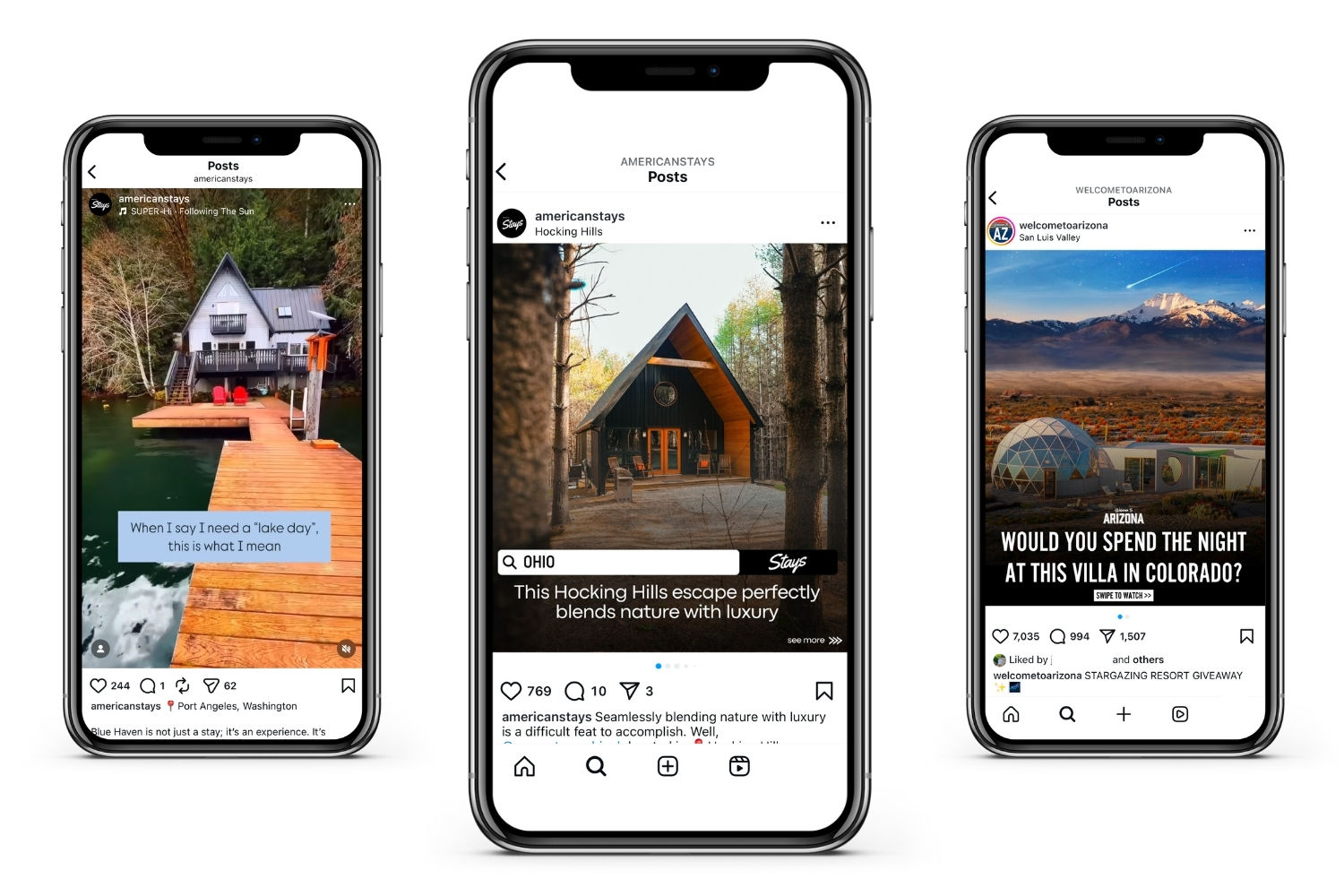
Promotions can be posted across our portfolio of partnered social media outlets
Promotions FAQ: what to know
Where on Instagram are Promotions published?
Promotions are not published on stays.co. When you build one, you choose an Instagram account (an outlet) to publish it. That account is the Promotion's Posting Outlet. Stays operates some outlets and partners with others; the full list is in the builder.
Are these basically Instagram or Meta ads I could run myself?
No. Think of a Promotion as a hand-selected partnership with an outlet whose audience already follows it for vacation rental, travel, or local content. It is organic reach through an established account, not a sponsored ad. (Some Promotions can add an optional Boost, which does put Meta Ads budget behind the post; see Step 6.)
What do Promotions look like?
Several choices in the Promotion Builder shape the final post:
- Type: a Feed Post, a Story Post, or a Broadcast each look different.
- Variation: within a type, for example a Reel video or an image Carousel for a Feed Post.
- Posting Outlet: each outlet has its own design templates and format, and your content is crafted to fit it.
- Media: you can suggest the exact photos and video, or let the Stays team choose what will perform best.
How much do Promotions cost?
The cost of each Promotion is variable and depends on its Type, Posting Outlet, and any optional add-ons. As you move through the Promotion Builder, a cost tracker shows the price of every component you have selected. Host Premium Organizations get 50% off the Posting Outlet portion of Promotions on Stays-branded outlets (@americanstays, @cabinstays, @staysco), applied at checkout.
Once purchased, how are Promotions scheduled and published?
After a Promotion is submitted and paid for, it enters the Stays team's internal publishing queue. We aim to publish promptly, but we cannot guarantee specific dates or times; timing depends on the Promotion's specifications, overall demand, and our team's capacity. Most Promotions are published within 1 to 2 weeks of payment, some types as fast as next day, and every Host in the Organization is notified when it goes live.
Where do travelers go when they see a Promotion?
To your brand's own Instagram account and to your Stay's Listing Page on stays.co, where they find your photos, details, Offers, and every booking link, and can continue to whichever platform they normally book on.
Are Promotions guaranteed to generate bookings?
No marketing platform can guarantee bookings. Promotions increase visibility and introduce your Stay to new audiences; conversion comes down to desirability, pricing, and location. Promotions also send viewers to your own Instagram account, so they can add followers whether or not they produce a booking right away.
The Promotion Builder, step by step
This guide covers every step:
- Create a Promotion
- Select the Type and Variation
- Select the Posting Outlet
- Select Amplification options
- Select Media
- Select Boost options
- Craft the Details
- Review, submit, and pay
- Await publishing